 PostForged
For Gmail and Outlook. Coming to iPhone and Mac.
Email that reads like a chat.
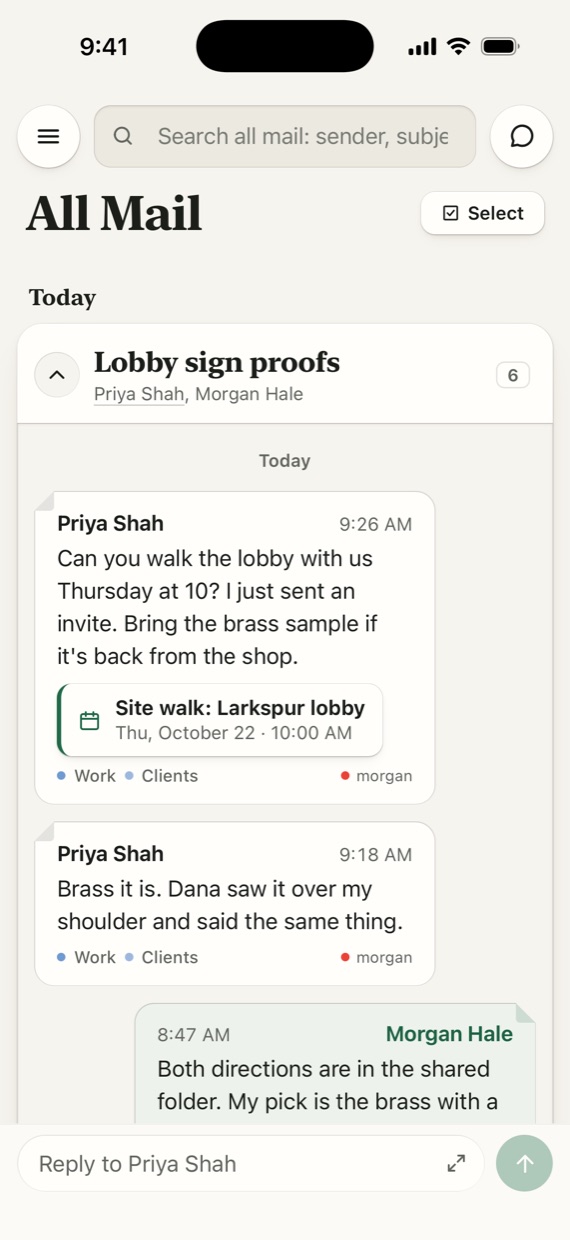
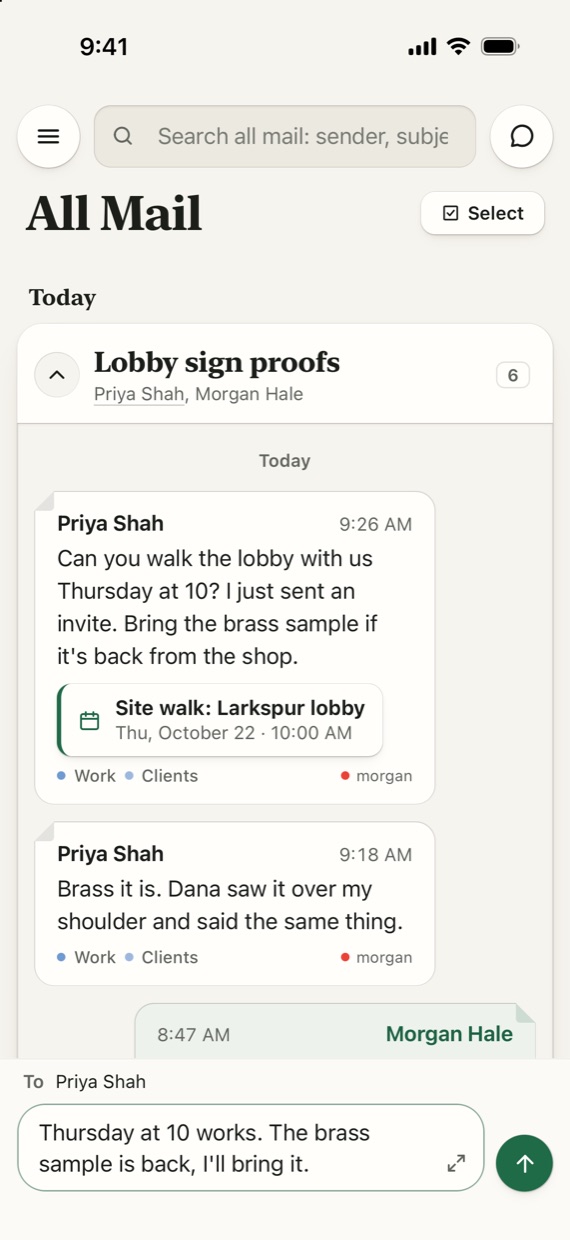
A back-and-forth email is a conversation, so PostForged shows it as one. Their messages on the left, yours on the right, and a reply bar at the bottom of the screen.
- iPhoneBuilt. In private testing now.
- MacIn development.
The chat envelope
Who said what, without opening a thing.
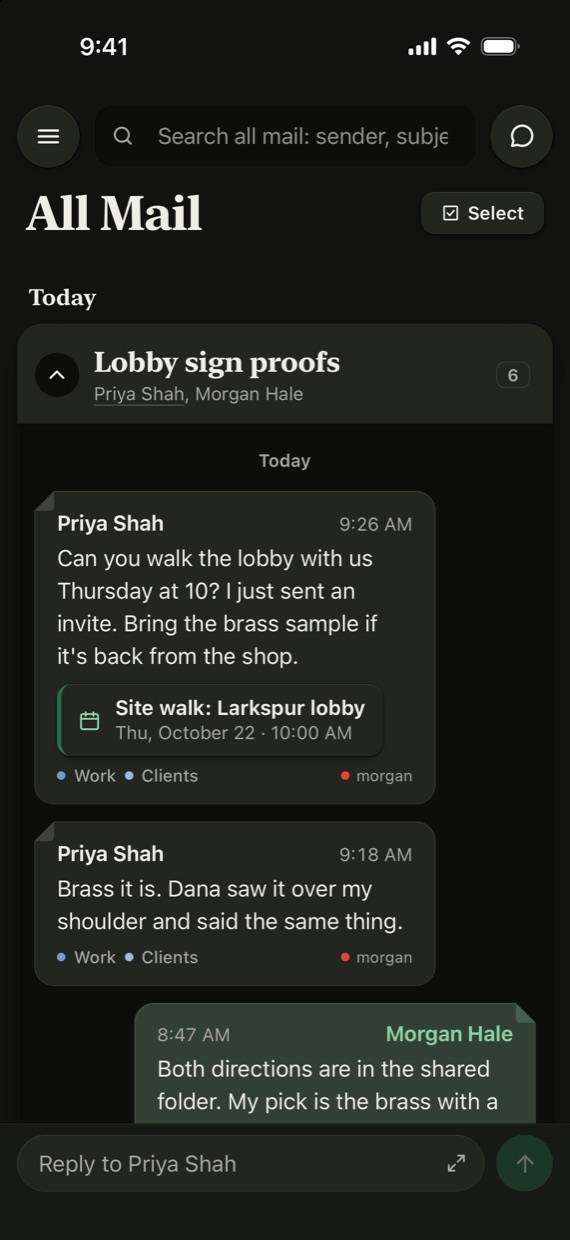
Tap a conversation and it opens in place, like an envelope. Priya's messages sit on the left on paper. Yours sit on the right in green. Each one keeps its time, its tags and any invite it carried, and the day is marked above every stretch.
Answering works like a text. Type in the bar at the bottom and send.
Tags, not folders
Tag it once. The next one files itself.
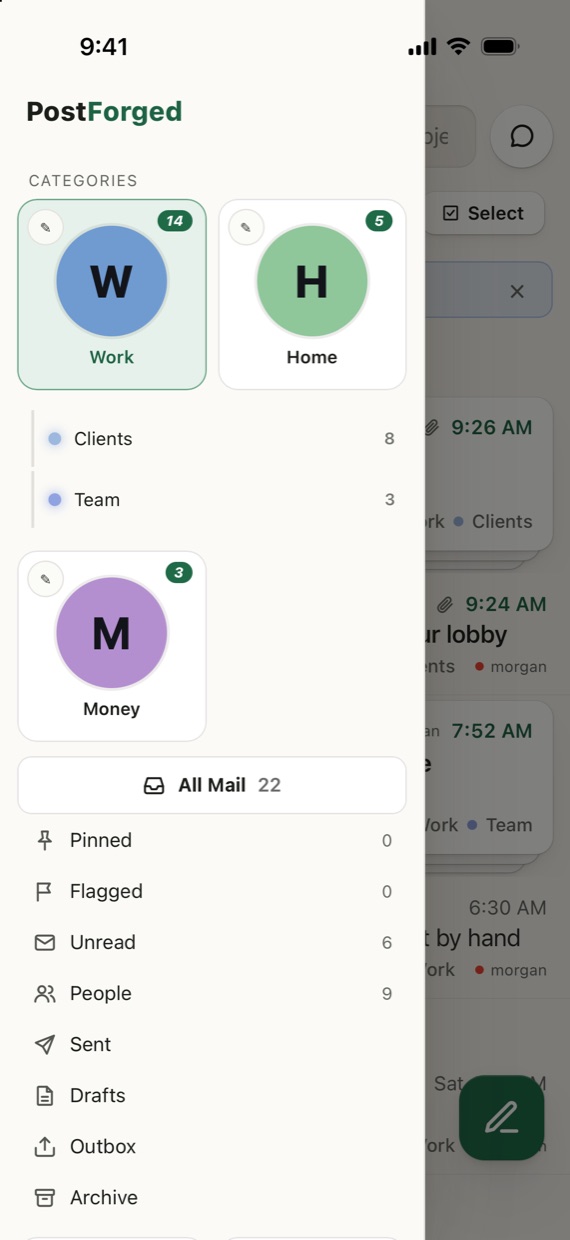
Folders make you decide where an email lives. Tags don't. Every email gets one category, like Work, Home or Money, and as many sub tags under it as you like: Clients, Team, Bills.
Tag one message and PostForged learns the sender. Their next email arrives already tagged. Got it wrong? Undo is on the same screen.
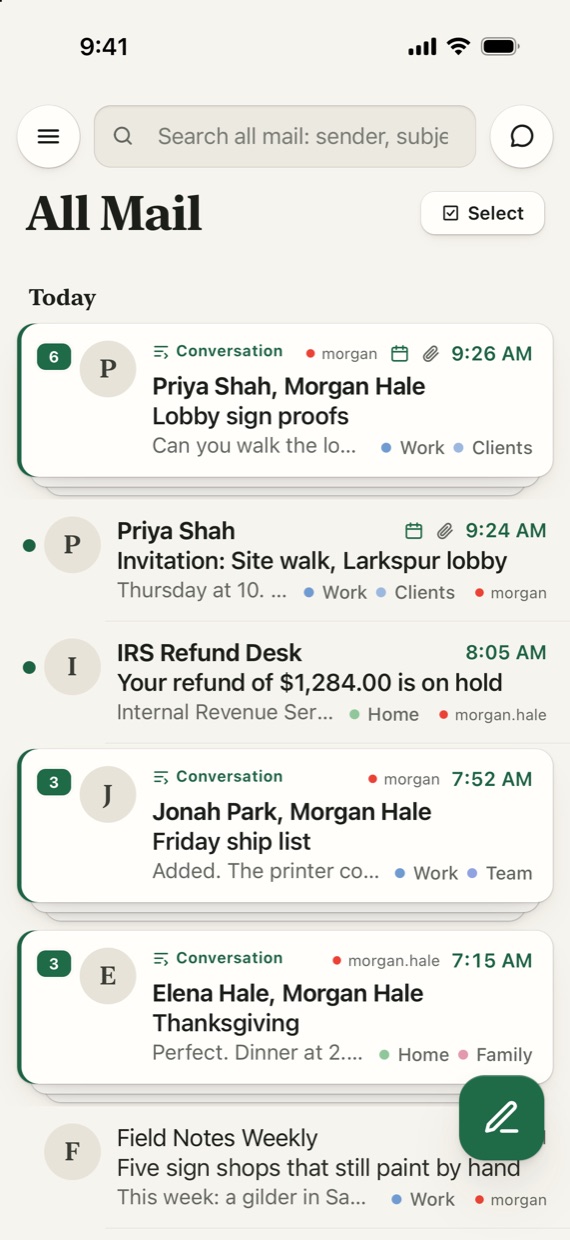
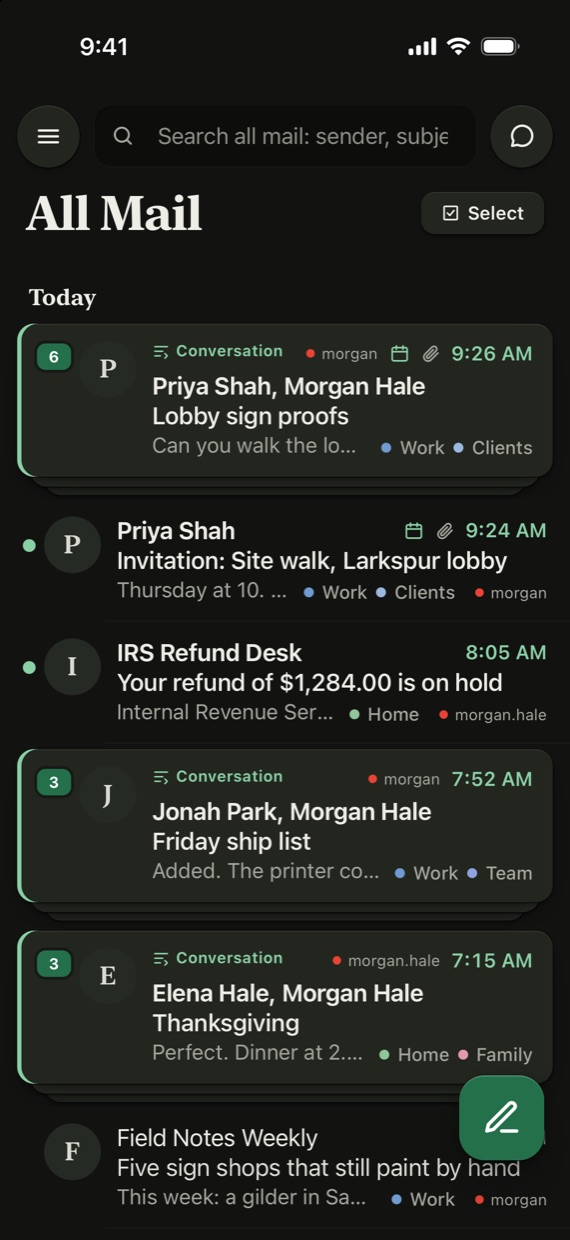
Gmail and Outlook come into one list, sorted by day, with conversations stacked so a six-email thread takes one row.
Sender card
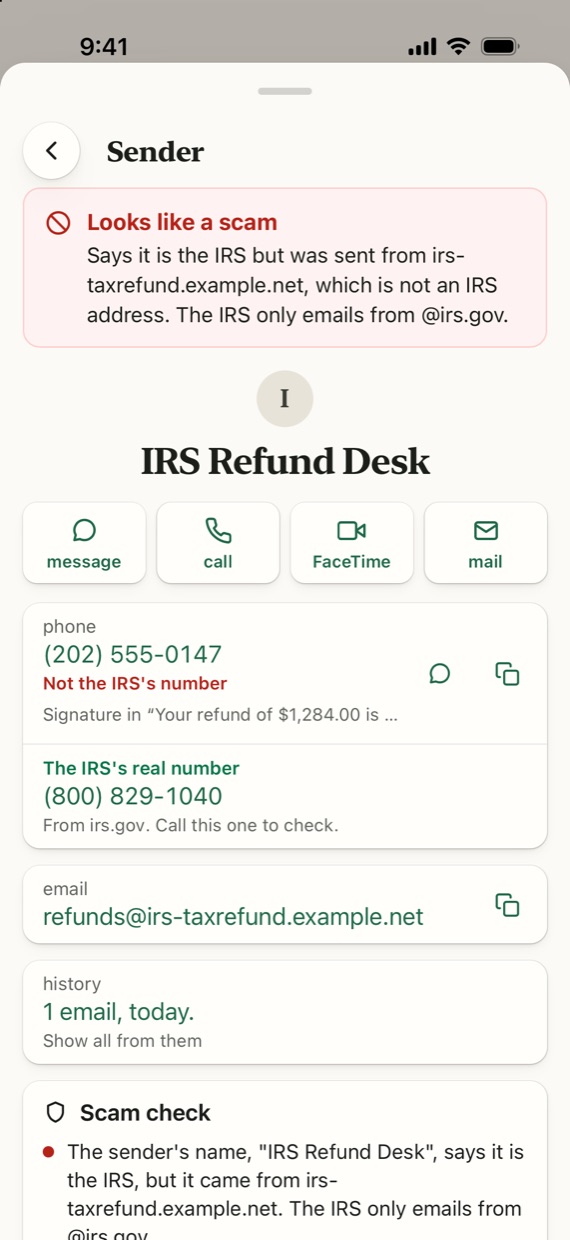
It says IRS. It isn't.
Tap anyone's name to see where an email really came from: the address, the phone number in their signature, and every email they've sent you.
When a message claims to be the IRS, your bank or your carrier and was sent from somewhere else, the card says so in red. It also gives you the organization's real number, so you call them and not the scammer.
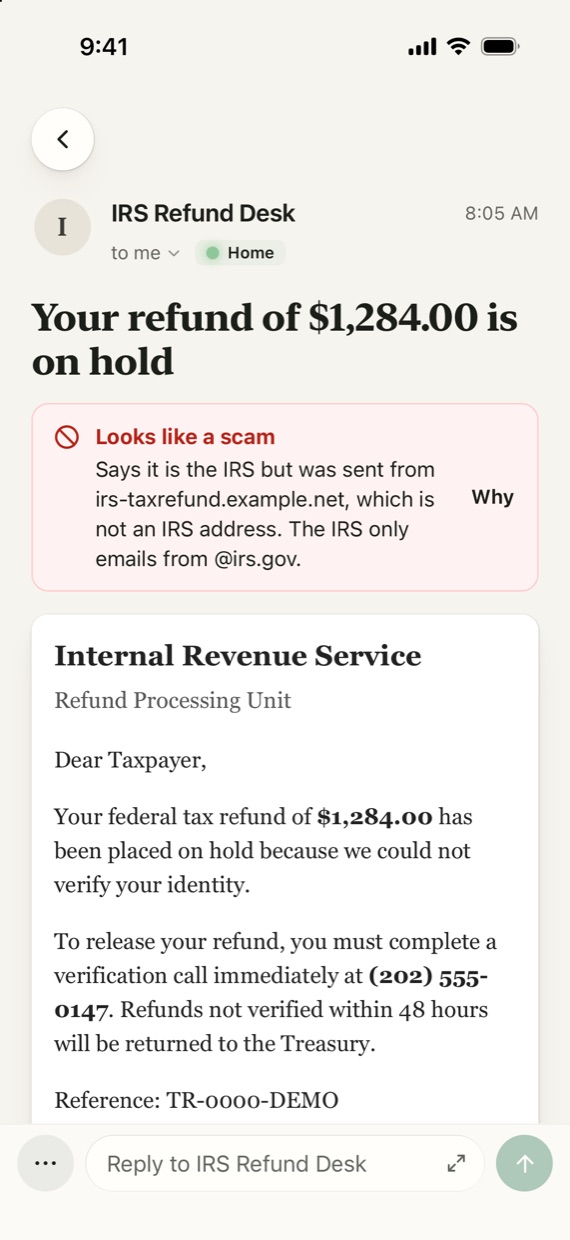
Open the email and the same warning sits at the top.
Invites and attachments
Meetings and files, right where you look.
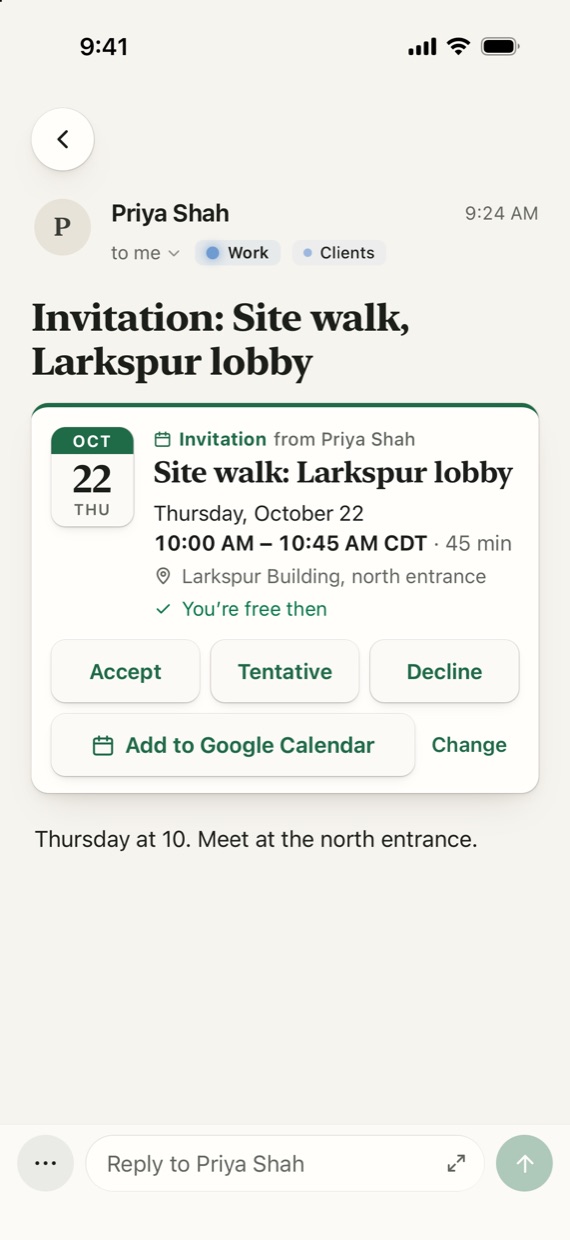
An invite shows up as a card: the date, the place, and a line that says if you're free then. Accept, Tentative or Decline from the email, or add it to your calendar.
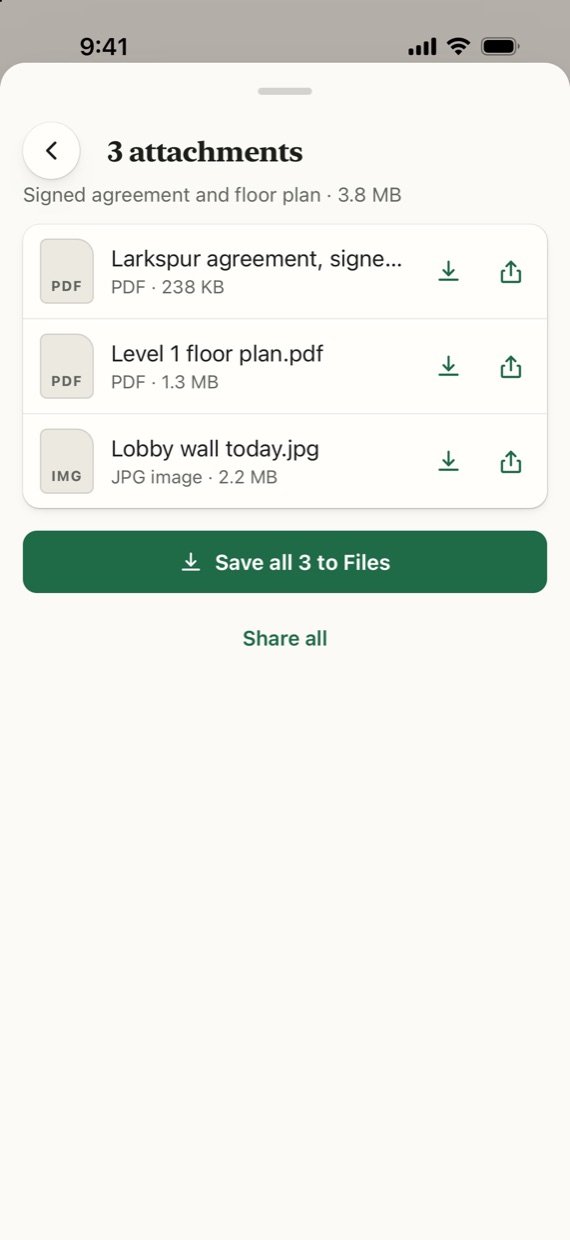
Files put a paperclip on the row before you open anything. Inside, every one of them sits in a single sheet. Open or share each file, or save all of them at once.
Clean up a sender
A sender who won't stop, handled from their card.
Open a sender's card and tap Clean up mail. Pick how much goes, archive or delete, and it's done.
Flagged, pinned and starred mail is never touched, and neither is any conversation you replied to. Deleted mail goes to your mailbox's trash, where you can get it back.
- Delete all from them nowEverything in your inbox from that sender, one time.
- Keep only the newest oneClears the rest now, and keeps doing it as new ones arrive.
- Delete anything older than 3, 10 or 30 daysNow, and from then on.
- One switch turns delete into archive. Ongoing rules run on your phone when mail syncs, and you can stop one from the sender's card or in Settings.
Privacy
Your mail never touches our servers.
Your phone fetches mail straight from Google or Microsoft and keeps it on the phone. We run no mail server and keep no copy. All we store is your address paired with your phone's push token, so we can tell it new mail arrived. Erase all data in Settings deletes that too.
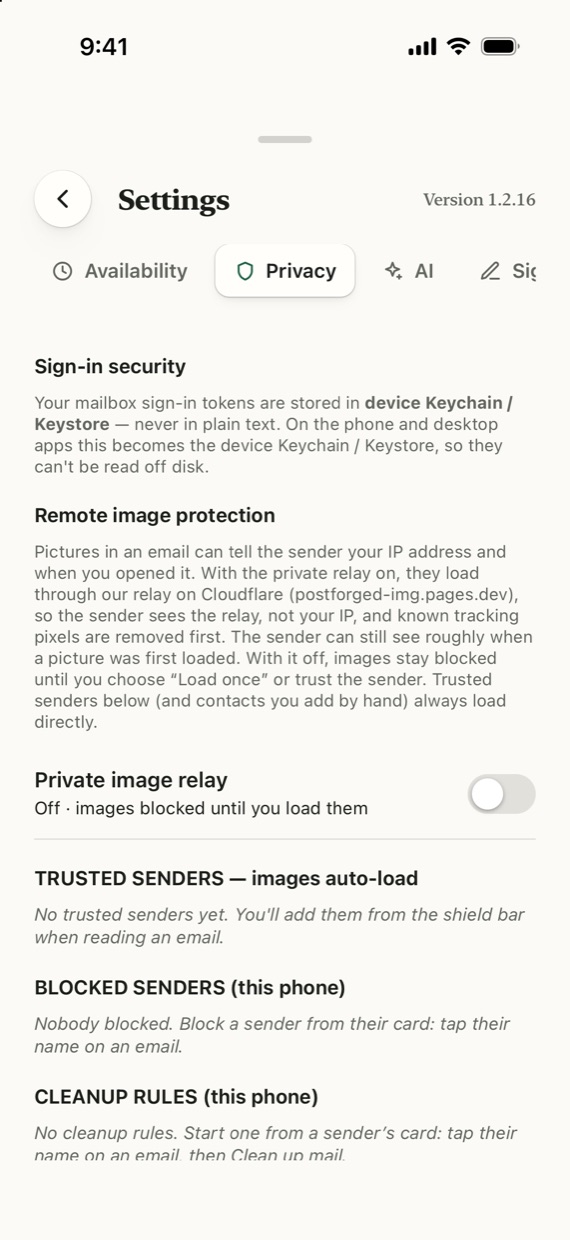
Pictures in an email, and the tracking pixels hidden among them, stay blocked until you choose to load them. Senders can't see when you opened their email.
There's no PostForged account to make. AI is optional and stays off until you add your own key.
Night mode
Calm after dark.
At night the app turns to warm ink instead of pure black. Emails follow it gently. A pale pink panel becomes a quiet gray, not a maroon block that looks like a warning.
A sender who designed their own dark version gets it used. And if one email looks better as sent, tap the sun to see the original, for that email or for everything from that domain.
Where it stands
Here's what is left before it's on your phone.